
Every Call Handled. Every Agent Accountable. Call Centre Solutions That Scale With You.
Inbound, outbound and blended call centre for South African businesses — full supervisor visibility, CRM integration, and agents that work from anywhere.
DSE Connect Call Centre
One connected workspace for every customer conversation
Voice, live chat and messaging handled by one team in one place. Route enquiries on rules you set, run outbound campaigns as a managed process, and give supervisors the visibility to act while it still matters.
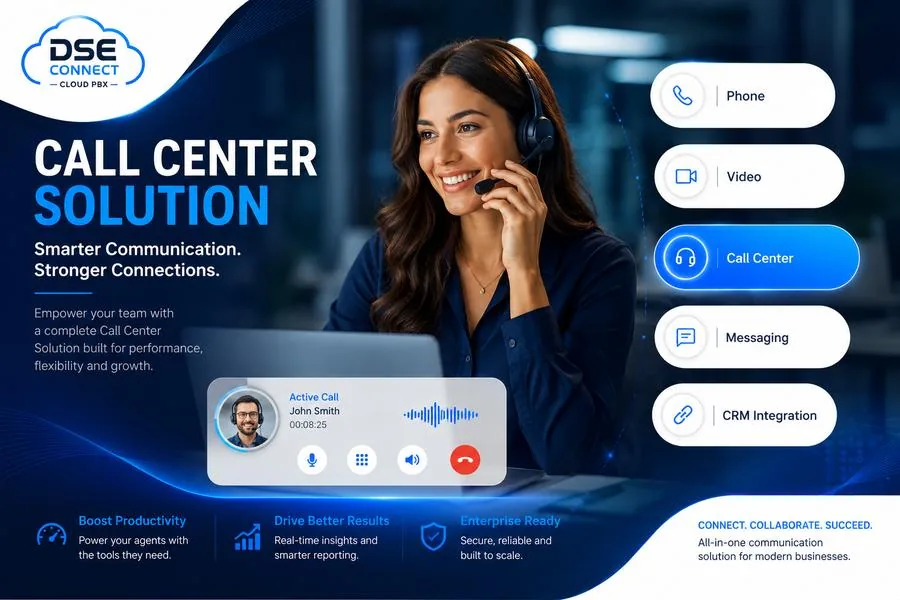
What it is
A contact centre built around the customer, not the switchboard
DSE Connect brings business telephony and contact-centre capability into a single environment. Your team answers inbound calls, runs proactive outbound campaigns, replies to website visitors and messaging customers, manages queues against service targets, and reports on all of it without moving between disconnected applications.
- Inbound queues with IVR, ACD, skills and priority routing
- Outbound campaigns with dialler modes, dispositions and callbacks
- Website chat, WhatsApp, Facebook Messenger and SMS in one inbox
- Live supervision, recording, wallboards and full reporting
Illustrative interface. Your workspace is configured to the solution designed for your business.
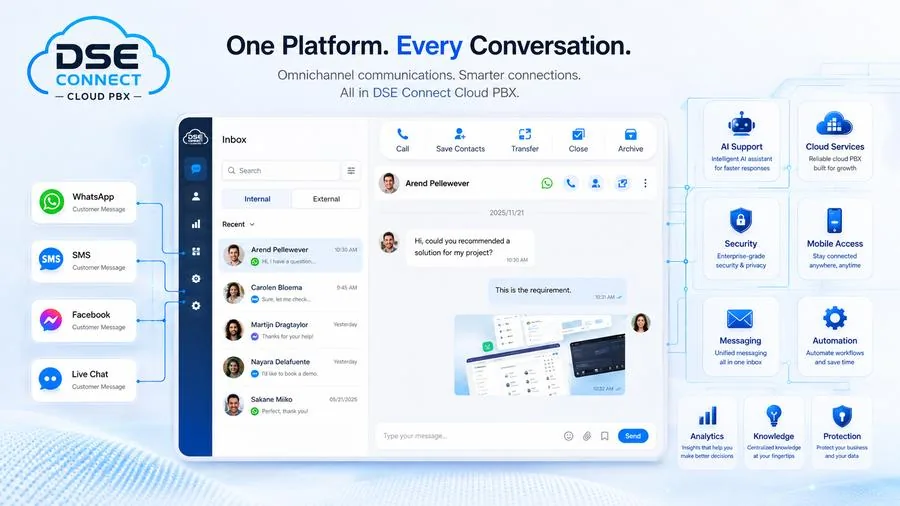
Why it matters
Fewer applications. Fewer dropped threads.
Every extra system an agent has to check is a place a customer gets forgotten. Bringing voice and digital into one operating environment means ownership is clear, history travels with the conversation, and a manager can answer “what happened on that enquiry” without three phone calls of their own.
- Customers reach you the way they prefer, without agents juggling apps
- Interactions route on rules you control, not on who happens to be free
- Supervisors see queues, agent state and trends without requesting a report
- Agents work from the office, home or a branch on the same platform
Inbound
Receive, prioritise and route incoming calls with IVR, ACD, queues, skills-based routing, callbacks and full supervisor tooling.
Outbound
Run structured campaigns with progressive, power and agentless dialling, contact lists, dispositions and scheduled callbacks.
Live Chat & Messaging
Website chat, WhatsApp, Facebook Messenger and SMS handled from a shared workspace with routing and handover.
Supervisor & Reporting
Wallboards, live monitoring, whisper coaching, barge-in, call recording, CDR detail and performance analytics.

Optional add-on
Put an AI Receptionist in front of the queue
Answer every call the moment it lands, understand what the caller wants, answer common questions from an approved knowledge base, and pass the caller to the right agent with the context already on screen.
Explore the AI Receptionist →Inbound Call Centre
Turn every inbound call into a better customer experience
Handle higher call volumes without losing visibility, service quality or control. Intelligent routing, structured queues and live supervision reduce avoidable delays and set clearer expectations when demand spikes.
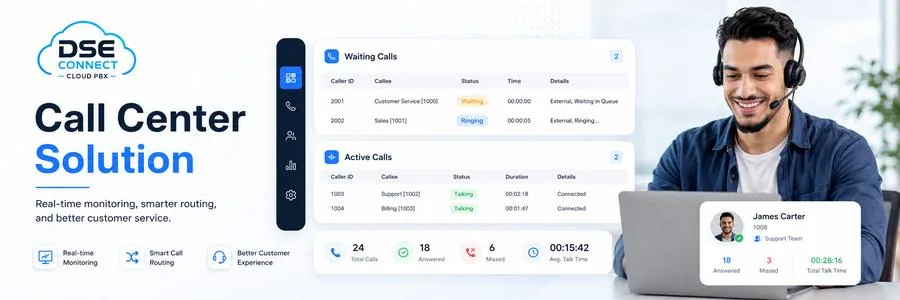
Routing
Get the caller to the right person the first time
Most poor service starts with a call reaching the wrong desk. Layered routing fixes that before an agent is ever involved: a menu identifies why the customer is calling, distribution rules decide who should take it, and skills, language or account value decide who takes it first.
- Automatic Call Distribution — share work across the right agents on configured queue rules
- IVR and multi-level auto-attendant — direct callers to the correct department, queue or extension
- Skill-based routing — match on skill, language or product knowledge and availability
- Priority queues and acceleration — move selected callers or account types up the line
- Ring groups — distribute across a department or functional team
- Business-hours routing — separate destinations for office hours, after hours, holidays and emergencies
Illustrative interface. Your workspace is configured to the solution designed for your business.
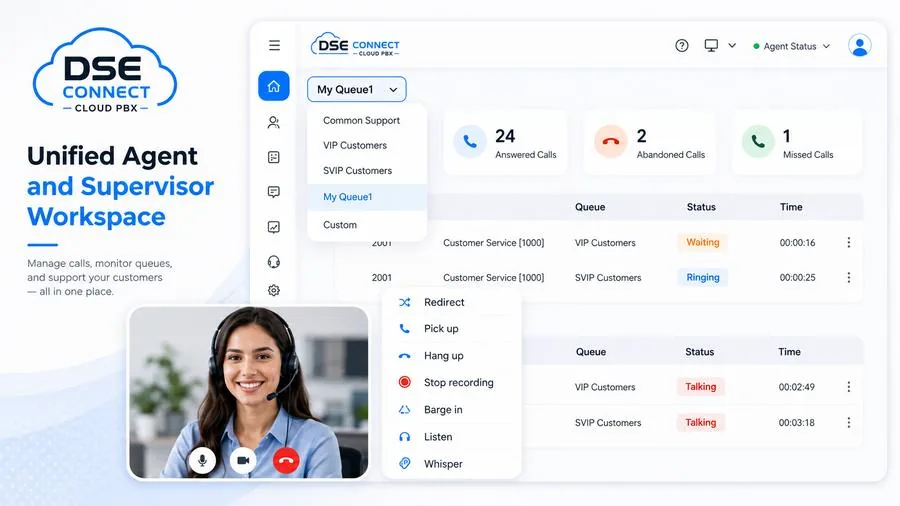
Agent workspace
One web workspace for live queue operations
Agents and supervisors work from a single browser-based panel: active and waiting calls, agent availability and queue performance in one view, with the call controls needed to act on what they are seeing.
- Active and waiting call activity together in one view
- Redirect, pick up, transfer and hang up directly from the panel
- Agent presence, availability and performance visibility
- Queue metrics at individual, group or aggregated level
- Role-based access for agents, supervisors and managers
- Cold and warm transfer, plus three-way calling
Queue callback
Let the customer hang up and keep their place. The system calls back rather than making them hold through the busy period.
Queue position & wait time
Announce where the caller sits in the queue and roughly how long they can expect to wait, so they can make an informed choice.
Music and announcements
Branded greetings, hold music and periodic messaging, using recorded prompts or text-to-speech.
Overflow and failover
Move calls to alternative queues, destinations or voicemail once thresholds are breached, instead of letting them ring out.
Voicemail and transcription
Capture the enquiry when nobody is available, with voicemail transcription so it can be triaged as text.
Post-call surveys
Ask the customer how it went while the call is still fresh, and report satisfaction against queues and agents.
Complete inbound feature set
Outbound Call Centre
Turn proactive outreach into a managed process
Give your outbound team structure: campaigns instead of spreadsheets, dialling automation instead of manual keying, and reporting that shows what the activity actually produced.
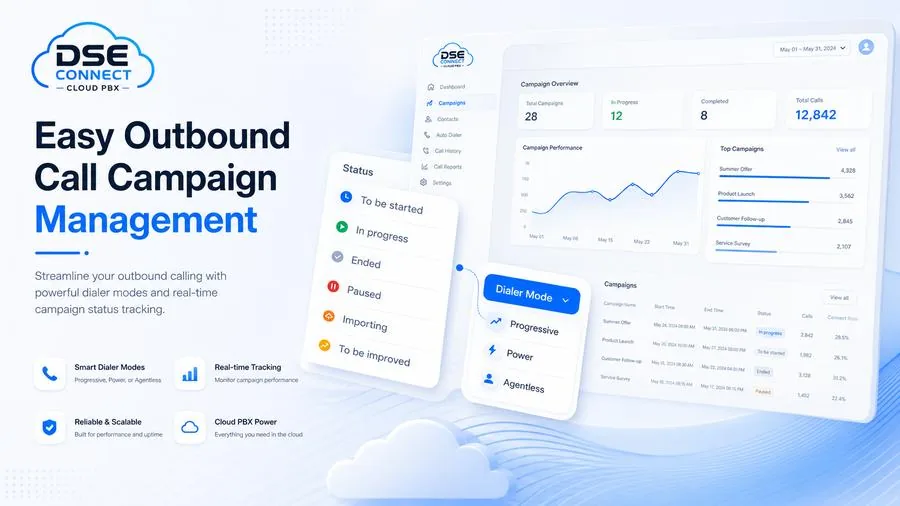
Campaigns
Campaigns you can start, pause, measure and rework
An outbound campaign is a controlled object, not a list someone is working through. Build it, schedule it, assign the team, watch it run, and adjust it while it is still running rather than reviewing the damage afterwards.
- Import and manage campaign contact lists
- Campaign scheduling, dialling hours and calling windows
- Assign agents or teams to specific campaigns
- Campaign states — to be started, in progress, paused, ended
- Outbound queue management and intelligent call routing
- Dialling logs with quick filtering
Illustrative interface. Your workspace is configured to the solution designed for your business.
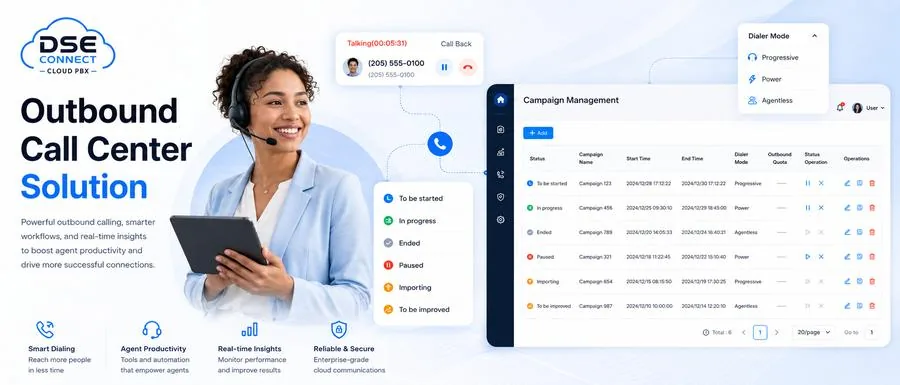
Dialler modes
Three ways to dial, matched to the work
Different campaigns need different pacing. A high-value sales conversation needs the agent ready and briefed; a payment reminder does not need an agent at all. Choosing the right mode is the difference between a productive campaign and an abandoned-call problem.
- Progressive — places a call when an agent is free, holding a 1:1 agent-to-call ratio for controlled pacing
- Power — dials multiple contacts per available agent at a configured rate, for volume campaigns
- Agentless — delivers connected contacts to an IVR or voicemail destination, for notifications and reminders
- Manual / preview — the agent reviews the record before the call, where context matters more than speed
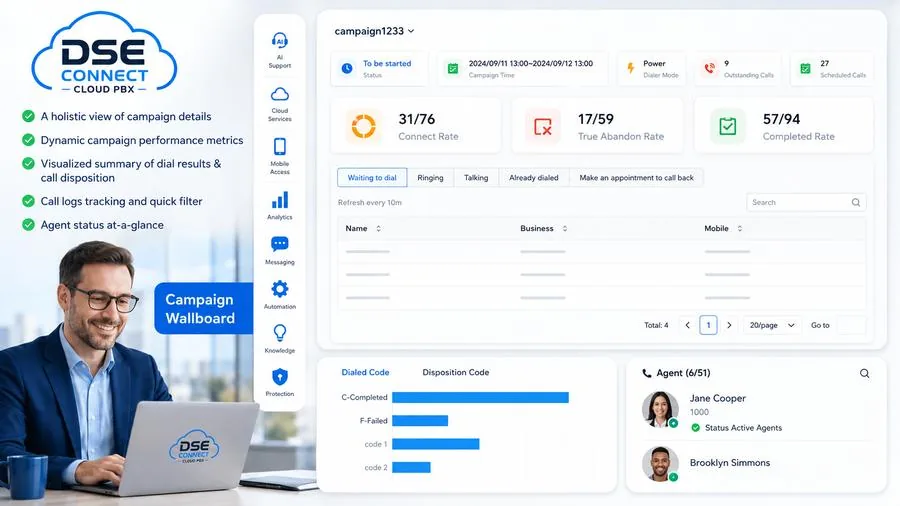
Campaign insight
See the campaign while it is running
The campaign wallboard gives managers live visibility into outbound performance, so a badly targeted list or an underperforming script is caught on day one rather than at the end of the month.
- Holistic view of campaign detail in one screen
- Dynamic campaign performance metrics
- Visual summary of dial results and call dispositions
- Dialling logs with quick filtering
- Agent status at a glance
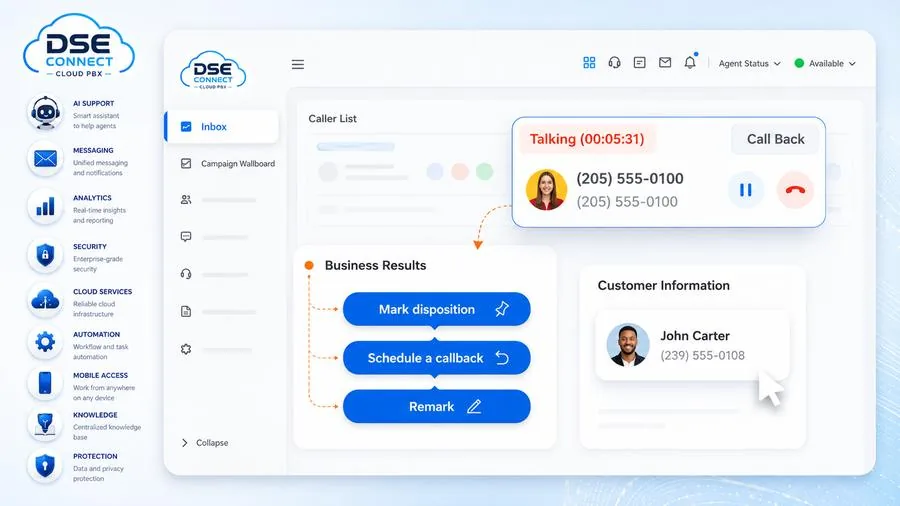
Agent workspace
Everything the agent needs on one screen
Outbound agents work from a call inbox that keeps the active and waiting list visible while putting customer detail and call controls within reach — so the follow-up gets captured during the call, not from memory afterwards.
- View active and waiting outbound calls in one place
- See customer and contact detail while working the call
- Mark dispositions — answered, no answer, busy, callback, not interested, converted
- Schedule callbacks so opportunities are not lost
- Add remarks and follow-up notes against the record
- Switch agent status from the same working environment
Complete outbound feature set
Outbound marketing in South Africa
Outbound campaigns must be run in line with South African privacy, electronic communications and direct-marketing law, including POPIA and the Consumer Protection Act. The platform gives you suppression lists, consent capture, calling-window controls and a full audit trail — but your lawful basis for contact, your opt-out handling, your recordkeeping and your compliance governance remain yours. Outbound caller-ID presentation is configured subject to carrier and regulatory rules. We will help you set the controls up properly before the first campaign runs.
Live Chat & Messaging
Meet customers on the channels they already use
Customers expect a quick digital answer as readily as a phone call. Website chat, WhatsApp, Facebook Messenger and SMS arrive in the same workspace as voice — with routing, ownership and history intact.
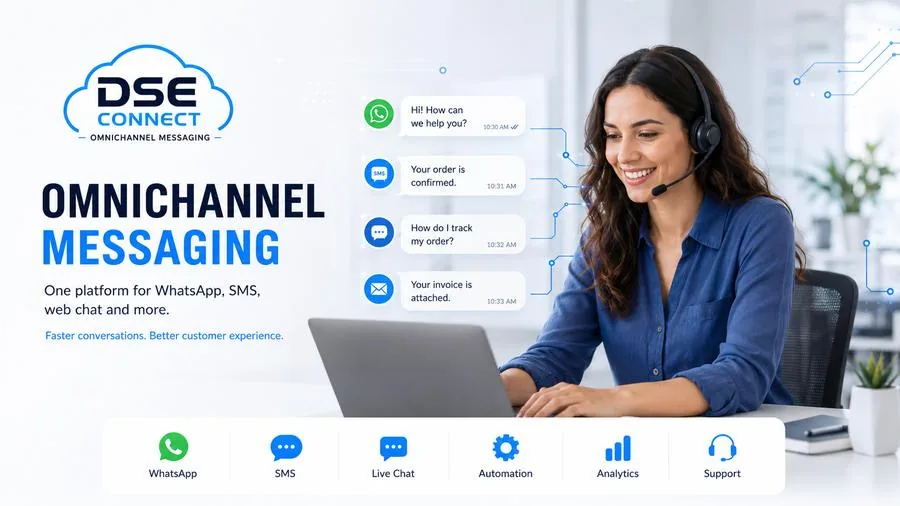
One inbox
Every channel lands in the same place
Digital enquiries scattered across a phone, a shared mailbox and somebody’s personal WhatsApp are not a service channel — they are a liability. Bringing them into one managed environment gives you assignment, escalation, history and a record you can review.
- Handle live chat, WhatsApp, Facebook Messenger and SMS alongside voice
- Route or assign incoming messages to the right agent or message queue
- One-to-one conversations with collaborative handover between team members
- Escalate a chat to a voice call when talking will resolve it faster
- CRM and helpdesk integration for contact matching and customer context
- Central conversation record with channel statistics and downloadable logs
Illustrative interface. Your workspace is configured to the solution designed for your business.
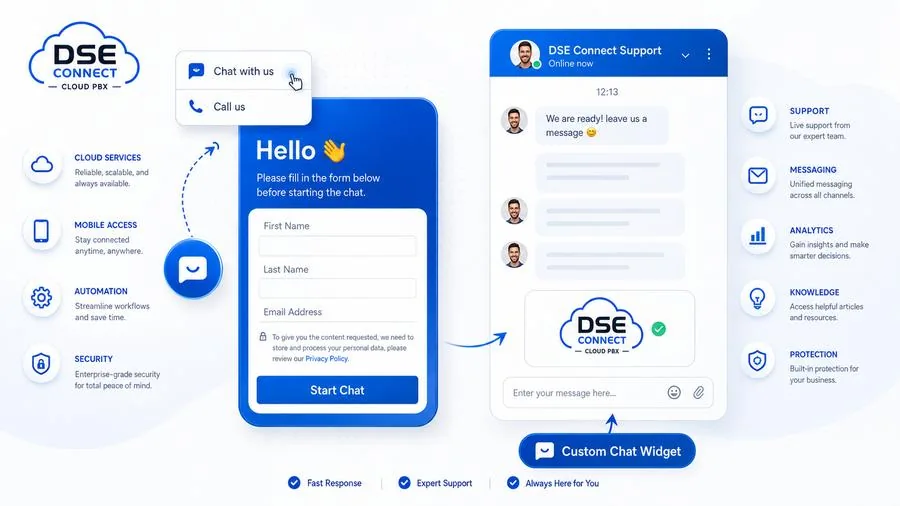
Website live chat
Turn website traffic into live conversations
A visitor researching your service is the warmest lead you will get that day. A chat entry point on the page keeps them from having to hunt for a number — or leaving to look at a competitor instead.
- Embed a branded chat widget on a compatible website or CMS
- Text chat with browser-based audio and video calling where enabled
- Optional pre-chat form to capture details and match known contacts
- Configure widget appearance, automated responses and language behaviour
- Agent assignment and routing rules for new conversations
- After-hours availability messaging or enquiry capture for follow-up
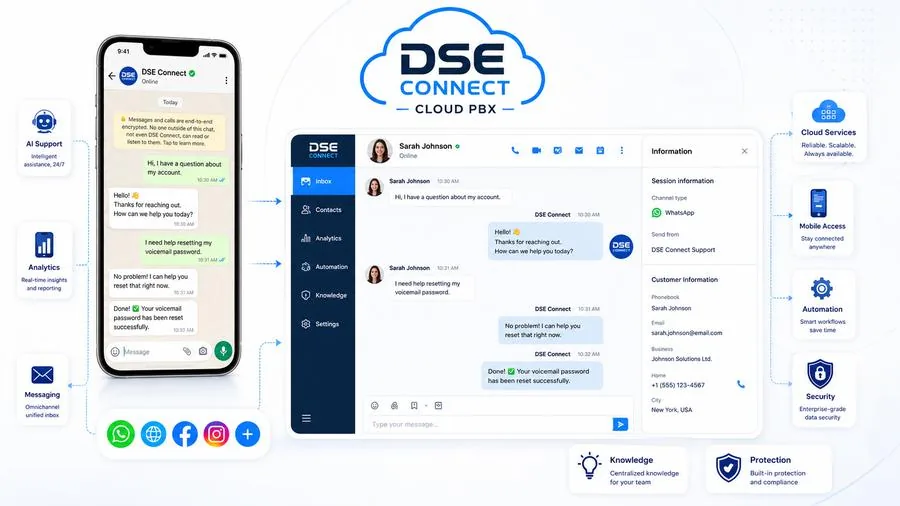
WhatsApp & Messenger
The channels South African customers actually use
WhatsApp is where most of your customers already are. Handling it inside the contact centre rather than on a staff member’s phone means conversations are assignable, transferable, reportable and retained — and they do not leave with the employee.
- Business messaging with approved templates where the platform requires them
- Routing, assignment and transfer between agents and teams
- Outbound campaign capability on WhatsApp where enabled
- Central handling of Facebook Messenger enquiries with assignment and follow-up
- Channel reporting and conversation history subject to retention settings
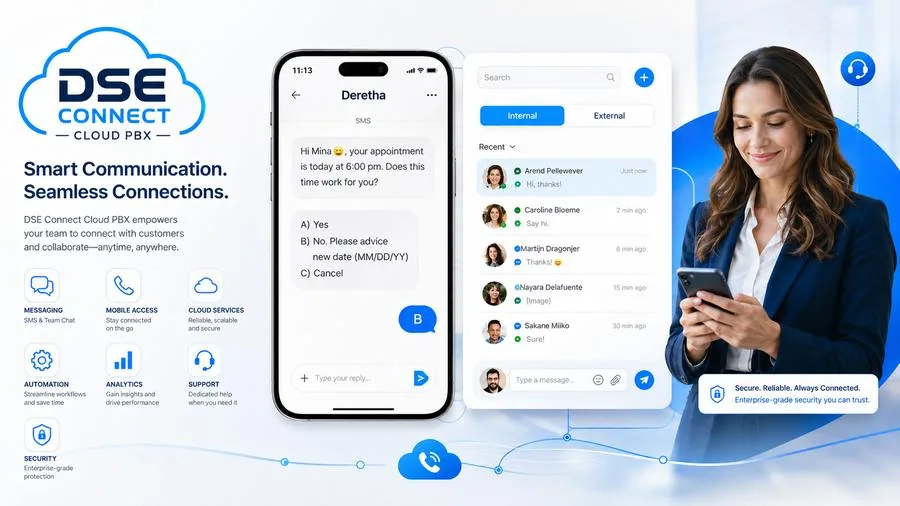
SMS & MMS
Short, direct, and read within minutes
SMS still earns its place for anything time-critical: appointment reminders, delivery updates, confirmations, one-time notices. One-way or two-way, from mobile, desktop or web.
- One-way or two-way business messaging
- Bulk campaigns for reminders, updates and approved promotional messaging
- Business-number privacy — staff reply from the business number, not their own
- Respond from mobile, web or desktop clients
- Message history and reporting retained centrally
Customer care
Keep phone and digital conversations in one operational environment so nothing is answered twice or not at all.
Sales
Engage website visitors in real time and move qualified conversations into a call while interest is live.
Support
Route enquiries to the right team and preserve conversation history through every handover.
Notifications
Use WhatsApp or SMS campaigns for reminders, updates and approved promotional messaging, subject to consent and channel rules.
Before a channel goes live
WhatsApp and Facebook Messenger require a verified business account, number onboarding and — for WhatsApp — message templates approved through Meta. SMS requires a suitable number and carrier arrangement. Each channel’s requirements are confirmed during solution design, so nothing is promised to your customers before it is properly provisioned.
Supervisor & Reporting
See what is happening now — and improve what happens next
Yesterday’s report cannot rescue today’s queue. Live visibility, coaching tools and evidence from recordings let managers intervene while it still counts, then measure whether the change actually worked.
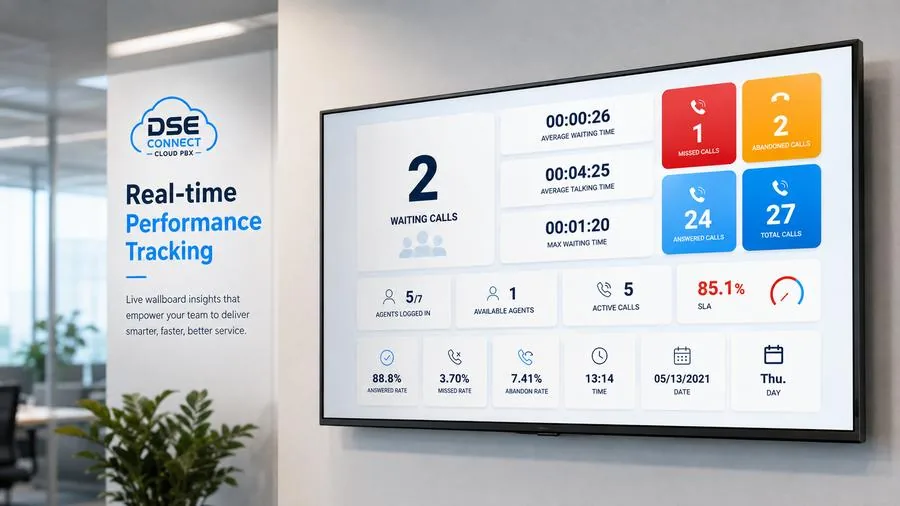
Real-time performance
A wallboard the whole floor can see
A central wallboard gives supervisors live visibility across queue and agent activity, so the team reacts before service levels deteriorate rather than explaining afterwards why they did.
- Waiting calls, average and maximum waiting time, active calls
- Answered, missed and abandoned volumes with live rates
- Agents logged in and agents currently available
- SLA thresholds with visual breach indicators
- View all queues together or drill into one queue
- Configurable widgets, multi-screen and real-time, daily, weekly or monthly intervals
Illustrative interface. Your workspace is configured to the solution designed for your business.
Queue panel
Monitor active and waiting calls, view agent availability and switch agent states where authorised.
Listen
Monitor a live call for quality assurance and oversight, subject to lawful use and your internal policy.
Whisper coaching
Guide an agent mid-call without the customer hearing the supervisor.
Barge-in
Join the call directly when escalation or intervention is needed.
SLA monitoring
Set operational thresholds and use live alerts to catch deterioration before it becomes a service failure.
Disposition & wrap-up
Capture a structured outcome on every interaction to drive follow-up, reporting and campaign analysis.
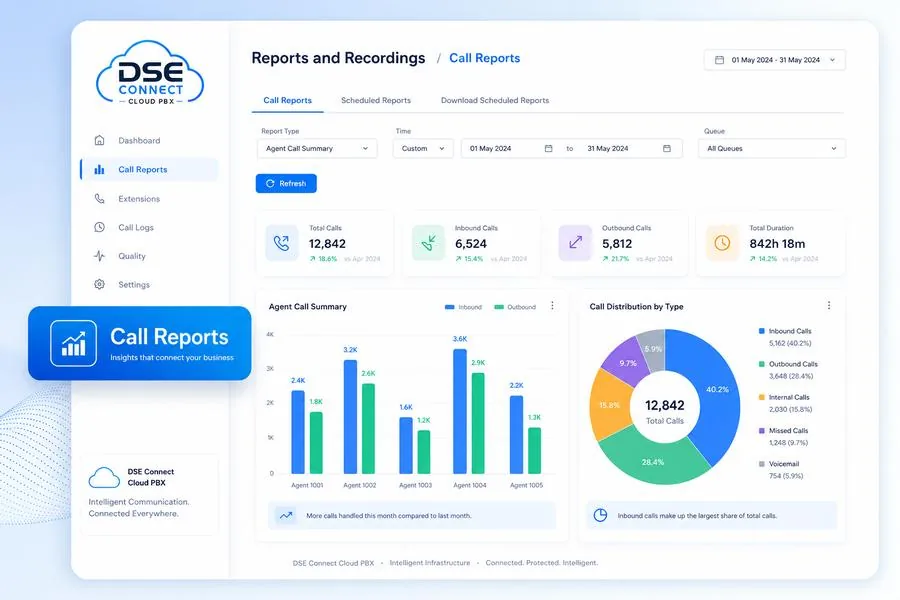
Reporting
From executive summary to a single call
Reporting earns its keep when it changes a staffing decision. Build and schedule reports from prebuilt templates, distribute them on a recurring basis, and use the trend rather than the anecdote when you decide where the next agent goes.
- Queue performance — volumes, answered and abandoned, waiting time, service levels
- Agent performance — activity, handling time, availability and productivity
- Outbound results — attempts, connections, dispositions and callbacks
- Digital interaction activity across chat and messaging channels
- Scheduled report distribution for recurring management visibility
- Exportable data and API access for downstream analysis where configured
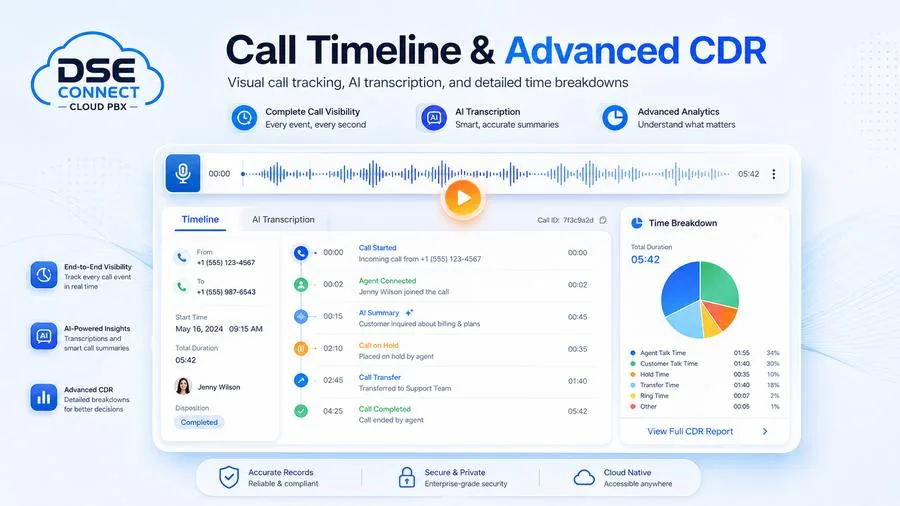
Call journey
Follow one call from first ring to disposition
When a customer disputes what was said, or a complaint needs investigating, the aggregate is useless. The call timeline reconstructs the interaction event by event — who took it, how long it held, where it transferred, how it ended.
- Complete call visibility across every leg and every event
- Detailed time breakdown — talk, hold, transfer and ring time
- Call transcription and smart call summaries
- Recording playback linked to the record
- Notes and disposition tags applied against the call
- Advanced CDR search and export for reconciliation and investigation
Call recording
Call recording and recording storage depend on the package and configuration selected for your business — some tiers include recording, on others it is an optional add-on with its own storage terms. Your entitlement is confirmed in writing on your service agreement. Recording must also be operated lawfully and governed by your privacy, employment, retention and access-control policies. Read our Privacy Policy →
Questions
Call Centre FAQ
What businesses ask us before a contact centre goes live.
A call centre handles voice. A contact centre extends the same discipline — queues, routing, ownership, reporting — across digital channels too: live chat, WhatsApp, Facebook Messenger and SMS. DSE Connect supports both. Which one you run is a configuration and licensing decision, not a different product.
The usual signals are recurring missed or abandoned calls, several departments answering one number, specialised enquiries reaching the wrong desk, a need for recording or quality monitoring, formal service-level targets, or a management team that cannot get reliable numbers on how the phones are performing. If none of those apply, a standard Cloud PBX is probably the right spend.
Yes, and agents can work blended across both, which is usually the point — quiet inbound periods become outbound capacity instead of idle time. The functions available to your team depend on the package and configuration confirmed on your service agreement.
It depends on the package. Some tiers include recording; on others it is an optional add-on with its own storage terms, and your entitlement is confirmed in writing before you sign. Recording must also be used lawfully — POPIA, employment law, retention periods and access control all apply, and those obligations sit with your business.
WhatsApp needs a verified WhatsApp Business account, number onboarding and approved message templates through Meta. Messenger needs a connected business page. SMS needs a suitable number and carrier arrangement. We confirm all of it during solution design, so a channel is never advertised to your customers before it is properly provisioned.
Screen pop on answer, click-to-call, call logging and contact synchronisation are supported across a range of business systems, with API-based integration where custom work is justified. Compatibility, licensing, API limits and data mapping vary by system, so integration scope is confirmed during solution design rather than assumed on a website.
Yes. Agents connect from approved web, desktop or mobile clients, and remote agents stay fully visible to supervisors for monitoring, recording and reporting. Real-world performance depends on each agent’s connectivity, and endpoint security remains subject to your company access policy.
Start with the data rather than the anecdote. Identify which queues and which time periods are producing the missed calls, the abandonment, the long waits or the repeat contacts. Then fix the cause — routing design, queue structure, staffing pattern, training, knowledge base — and review the same measures again. Most call centre problems are scheduling problems wearing a technology costume.
No, and treat anyone who says otherwise with suspicion. The platform gives you suppression lists, consent capture, calling-window controls and an audit trail. Your lawful basis for contact, your opt-out handling, your recordkeeping and your compliance governance stay with you under POPIA and the Consumer Protection Act. We will help you configure the controls correctly.
Get Started
Ready to Build a Better Call Centre?
Talk to us about your current setup, your headcount, and what’s not working. We’ll design a solution that fits — and stays within your budget.

Built for teams that live on the phone
Queue, wallboard and analytics tools for contact centres of any size. WhatsApp Calling, AI Attendant, call recording and transcription are paid add-ons available on DSE Connect hosted packages only.
Skills and priority queues
Route callers to the right team and let VIP customers move up the line.
Live wallboard
Show waiting calls, agents on calls and service levels on a wall screen.
Queue and SLA analytics
Answer rates, wait times and abandoned calls by queue, hour and agent.
Supervisor tools
Supervisors monitor live activity and support agents during busy periods.
Omnichannel inbox
Voice, chat, SMS and WhatsApp handled in one agent workspace.
CRM and helpdesk screen-pop
Open the customer record when the call arrives, on supported integrations.
Recording and AI transcription
Quality assurance and compliance review. Recording and transcription are paid add-ons.
Call-back and overflow rules
Offer a call-back or send overflow to another team or after-hours voicemail.
Fewer clicks per call.
- One workspace for voice and messaging.
- Customer context on screen when the call lands.
- Notes and outcomes logged against the call.
See and steer the floor.
- Live wallboard of queues and agents.
- Real-time alerts when waits grow.
- Coach from recordings where enabled.
Prove and improve service.
- SLA and abandonment reporting.
- Staffing insight by time of day.
- Exports for monthly reviews.
Hunt group or full call centre
| Basic hunt group | DSE Connect Call Centre | |
|---|---|---|
| Routing | Ring a list of phones | Skills, priority and overflow rules |
| Live visibility | None | Wallboard and supervisor view |
| Reporting | Call history | Queue, agent and SLA analytics |
| Channels | Voice only | Voice, chat, SMS and WhatsApp |
| Customer context | Caller ID | CRM screen-pop on supported integrations |
Outbound campaigns and custom reporting
- Auto-dialers — Progressive, power and agentless dialling to scale outbound sales, collections and customer outreach (included or paid add-on, depending on your package).
- Do Not Call list — Built-in DNC management, scheduled callbacks, campaign wallboards and disposition tags (included or paid add-on, depending on your package).
- Missed-call follow-up — Automatically follow up missed queue calls by SMS or WhatsApp (WhatsApp is a paid add-on on hosted packages).
- Custom report builder — Build reports from aggregate to granular with filters and custom KPIs, schedule them by email and export to CSV, XLS, HTML or PDF.
- Queue callback — Callers can choose a callback instead of waiting on hold.
Feature availability depends on your plan and is confirmed on your service agreement. Call 010 110 1680 or WhatsApp 060 222 4724.
Frequently asked questions
What is the difference between a call centre and a contact centre?
A call centre handles voice. A contact centre extends the same discipline — queues, routing, ownership, reporting — across digital channels too: live chat, WhatsApp, Facebook Messenger and SMS. DSE Connect supports both. Which one you run is a configuration and licensing decision, not a different product.
When does a business actually need a call centre platform?
The usual signals are recurring missed or abandoned calls, several departments answering one number, specialised enquiries reaching the wrong desk, a need for recording or quality monitoring, formal service-level targets, or a management team that cannot get reliable numbers on how the phones are performing. If none of those apply, a standard Cloud PBX is probably the right spend.
Can we run inbound and outbound on the same platform?
Yes, and agents can work blended across both, which is usually the point — quiet inbound periods become outbound capacity instead of idle time. The functions available to your team depend on the package and configuration confirmed on your service agreement.
Is call recording included?
It depends on the package. Some tiers include recording; on others it is an optional add-on with its own storage terms, and your entitlement is confirmed in writing before you sign. Recording must also be used lawfully — POPIA, employment law, retention periods and access control all apply, and those obligations sit with your business.
What is needed before WhatsApp or Facebook Messenger goes live?
WhatsApp needs a verified WhatsApp Business account, number onboarding and approved message templates through Meta. Messenger needs a connected business page. SMS needs a suitable number and carrier arrangement. We confirm all of it during solution design, so a channel is never advertised to your customers before it is properly provisioned.
Can you integrate with our CRM or helpdesk?
Screen pop on answer, click-to-call, call logging and contact synchronisation are supported across a range of business systems, with API-based integration where custom work is justified. Compatibility, licensing, API limits and data mapping vary by system, so integration scope is confirmed during solution design rather than assumed on a website.
Can agents work from home?
Yes. Agents connect from approved web, desktop or mobile clients, and remote agents stay fully visible to supervisors for monitoring, recording and reporting. Real-world performance depends on each agent's connectivity, and endpoint security remains subject to your company access policy.
How do we improve call centre performance once we are live?
Start with the data rather than the anecdote. Identify which queues and which time periods are producing the missed calls, the abandonment, the long waits or the repeat contacts. Then fix the cause — routing design, queue structure, staffing pattern, training, knowledge base — and review the same measures again. Most call centre problems are scheduling problems wearing a technology costume.
Does the platform make our outbound marketing compliant?
No, and treat anyone who says otherwise with suspicion. The platform gives you suppression lists, consent capture, calling-window controls and an audit trail. Your lawful basis for contact, your opt-out handling, your recordkeeping and your compliance governance stay with you under POPIA and the Consumer Protection Act. We will help you configure the controls correctly.

How to launch a DSE Connect call centre
- Review your call volumesWe look at your inbound and outbound volumes, departments and service targets.
- Design queues and channelsWe design queues, routing and the channels you need, and confirm which ones can be provisioned.
- Configure agents and supervisorsWe set up agents, supervisor dashboards, recording and reporting that your package includes.
- Go live and review the numbersAfter go-live we review queue and abandonment data with you and adjust the design.