Your complete business
phone system. In the cloud.
Enterprise-grade telephony — HD voice, video, chat, and AI — unified in one platform. Built for South African businesses. Connecting You, Wherever You Are.











More than a phone system.
DSE Connect Cloud PBX unifies calling, messaging, video, and AI tools in one powerful platform — keeping your team connected from anywhere in South Africa, and wherever business takes you globally.

HD Voice Calling
Crystal-clear calls on any device — desk phone, PC, Mac, iOS, or Android. Always-on infrastructure with 24/7 uptime monitoring.

Unified Messaging
Chat, SMS, WhatsApp, and Facebook messages in one unified inbox. Never miss a customer conversation.

Video Conferencing
Face-to-face meetings direct from your browser or the DSE Connect UC App. Screen sharing and in-meeting chat included.

AI-Powered Tools
AI Receptionist, live transcription, call summaries, and voicemail-to-text available on Pro and above plans.
Smart Call Routing
IVR, hunt groups, call queues, departments, time conditions, and advanced multi-site routing built in.
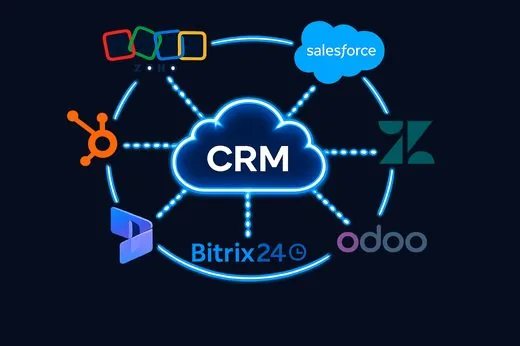
CRM Integration
Connect to Zoho, Salesforce, HubSpot, Zendesk, Dynamics 365, Bitrix24, Odoo, and more — included on Pro+.
Call Recording & Reports
Call history, recordings, manager reports, and advanced SLA reporting. Know exactly what’s happening.

Work From Anywhere
Your office extension follows you on any device. Remote staff, multi-site teams, hybrid workers — all connected.

Your office extension.
Wherever you are.
Desk phone, browser, or mobile — the same calls, the same contacts, the same call history. Pick up where you left off, on any device.
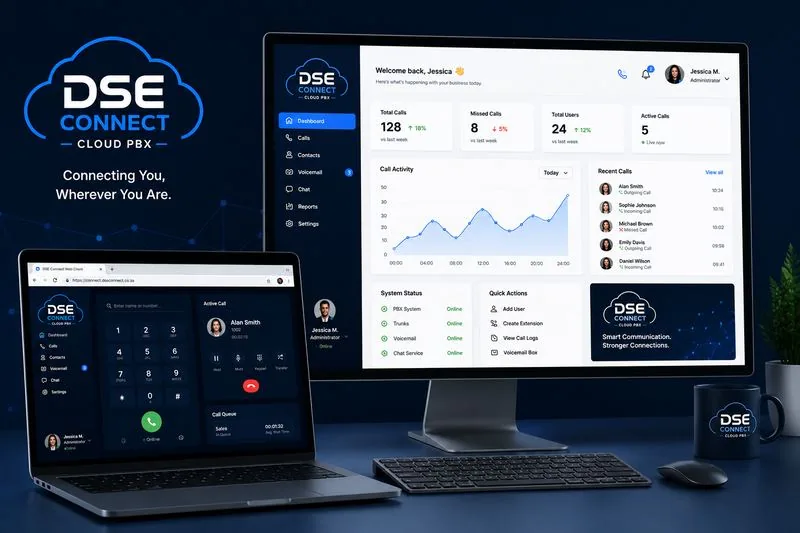
Desktop & web client
Full call control, contacts and history in any browser
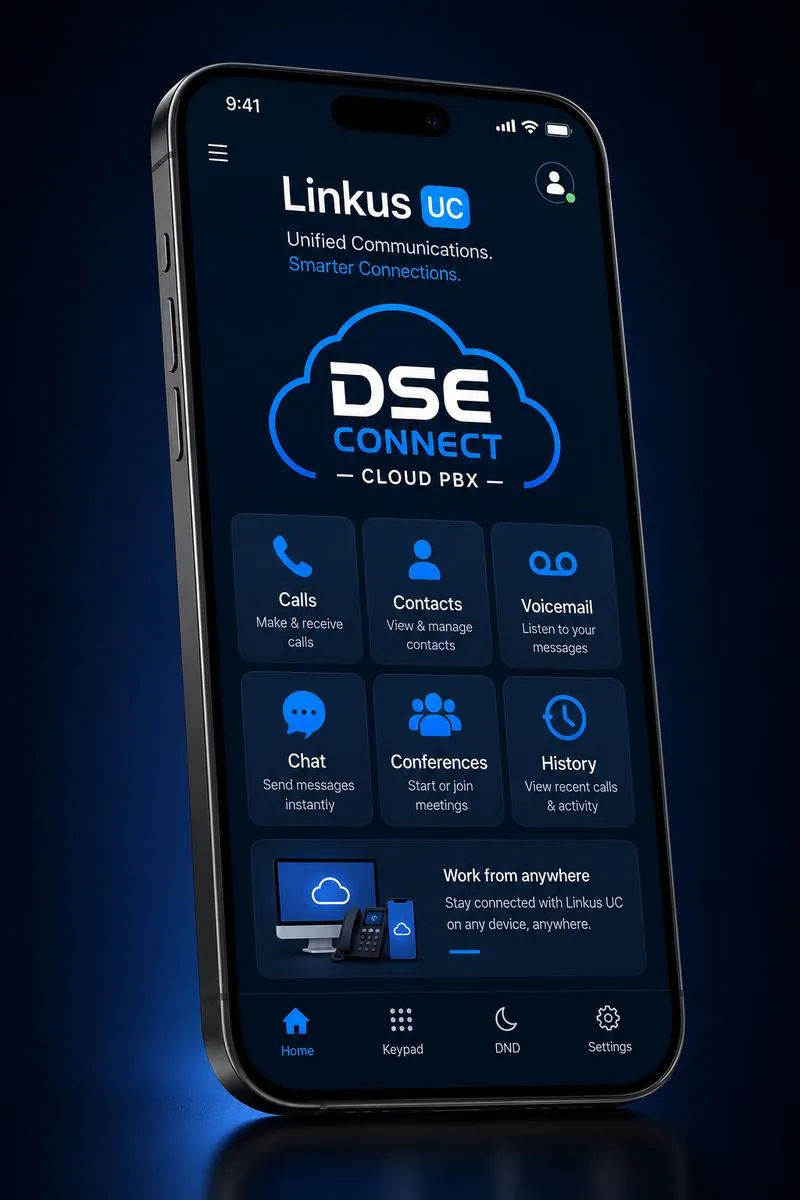
DSE Connect UC App
Your number follows you — calls, chat and meetings on the go
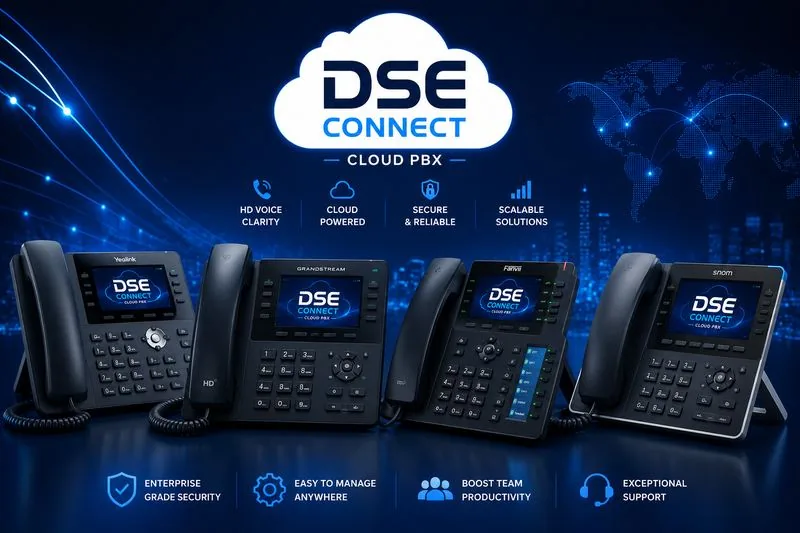
Hardware IP phones
Traditional desk handsets, fully provisioned and supported

Up and running in days,
not months.
No hardware to rack. No engineers on-site. DSE Connect handles everything from number porting to staff training.
Choose your plan
Pick from Starter, Pro, Enterprise or Elite based on your team size and feature needs. We’ll help you decide.
We provision your system
DSE Connect configures your extensions, IVR, call queues, and integrations. Porting existing numbers included.
Your team is live
Staff open the DSE Connect UC App or plug in their desk phone. You’re making and receiving calls. We monitor it 24/7.
Choose the plan that fits your business
All prices exclude VAT. Scale up or down at any time. AI features on Pro, Enterprise & Elite via QOR Token minute bundles.
- 1–5 Extensions
- SIP Phone OR PC Softphone
- 1 Hardware IP Phone/user
- Basic Call Routing & IVR
- Hunt Groups & Call Queues (Basic)
- Basic Call History
- Email Support (Office Hours)
- Call Recording (Add-on, 30 days)
- Mobile App / Web Client
- CRM Integration
- AI Features
- 5–49 Extensions
- SIP Phone + Desktop/Web/Mobile
- Web Client Login included
- Mobile App (1 FREE; add-on/user)
- Audio Conferencing + Chrome Extension
- Advanced Call Routing, Queues & Groups
- Reports, Call History & Screening
- CRM: Zoho, Salesforce, Zendesk, HubSpot, Dynamics 365, Bitrix24, Odoo
- Omnichannel: Chat, Facebook, SMS, WhatsApp
- AI Reception + Transcription (QOR tokens)
- Teams Integration (Add-on; outbound FREE)
- 10+ Extensions
- SIP Phone + Desktop/Web/Mobile
- 2 Hardware IP Phones/user
- Advanced Routing, Departments & IVR
- 1 Boss Reception Receptionist included
- 1 Manager Login / Admin included
- Manager Reports & Call Screening
- Database Contact Sync (SQL/LDAP)
- Open APIs
- Microsoft 365 / Google Workspace
- AI Reception + Transcription (QOR tokens)
- Active Directory (Add-on)
- 10+ Extensions
- 2+ SIP Phones + Desktop/Web/Mobile
- Microsoft Teams INCLUDED
- Advanced Multi-Department Routing
- Call Queues + SLA Reporting
- Boss Reception + 2+ Manager Logins
- Video Conferencing
- Text-to-Speech Voice Prompts
- Advanced CRM / Multi-system Integration
- Active Directory + Directory Sync
- Remote File Archiving (Google, S3, SharePoint)
- Priority escalation + named technical owner
All prices exclude VAT. Contact us for volume pricing →
Every feature. Every plan. No surprises.
If it’s not in this table, ask us before you sign. We believe in full transparency.
| Feature | Starter R55 | Pro R75 | Enterprise R125 | Elite R165 |
|---|---|---|---|---|
| Devices & Connectivity | ||||
| Hardware IP Phone registrations | 1/user | 1/user | 2/user | 2+/user |
| PC Desktop / Softphone | ✓ | ✓ | ✓ | ✓ |
| Web Client Login | – | ✓ | ✓ | ✓ |
| Mobile Client App | – | 1 FREE; add-on/user | ✓ included | ✓ included |
| Chrome / Edge Extension | – | ✓ | ✓ | ✓ |
| Audio Conferencing | – | ✓ | ✓ | ✓ |
| Video Conferencing | – | – | – | ✓ |
| Microsoft Teams Integration | – | Add-on (outbound FREE) | Add-on (outbound FREE) | ✓ Included |
| Call Routing & Management | ||||
| Hunt Groups | Basic | Standard | Advanced | Advanced |
| Ring Groups / Pickup | – | Standard | Advanced | Advanced |
| Call Queues | Basic | Standard | Advanced | Advanced + SLA Reporting |
| IVR & Call Routing | – | Standard | Advanced Routing | Advanced Multi-Dept |
| Boss Reception | – | Add-on p/m | 1 included | ✓ Included |
| Manager Login / Admin | – | Add-on p/m | 1 included | 2+ included |
| Call Recording | Add-on (30 days) | Add-on | Add-on | Add-on |
| Call Screening | – | ✓ | ✓ | ✓ |
| Email Notifications | – | ✓ | ✓ | ✓ |
| AI Features (QOR Token Bundles — Pro, Enterprise & Elite) | ||||
| AI Reception & Transcription | – | ✓ QOR tokens | ✓ QOR tokens | ✓ QOR tokens |
| Real-Time Transcription | – | ✓ QOR tokens | ✓ QOR tokens | ✓ QOR tokens |
| Voicemail Transcription | – | ✓ QOR tokens | ✓ QOR tokens | ✓ QOR tokens |
| Call Summary / Sentiment | – | ✓ QOR tokens | ✓ QOR tokens | ✓ QOR tokens |
| Text-to-Speech Voice Prompts | – | Add-on p/m | ✓ Included | ✓ Included |
| Integrations | ||||
| CRM Integration | – | Zoho, Salesforce, Zendesk, HubSpot, Dynamics 365, Bitrix24, Odoo | Same as Pro | As Enterprise + Advanced |
| Omnichannel Messaging | – | Chat, Facebook, SMS, WhatsApp | Same as Pro | + AI + Advanced Routing |
| Microsoft 365 / Google Workspace | – | Add-on | ✓ Included | Full Integration |
| Active Directory | – | – | Add-on | ✓ Included |
| Remote File Archiving | – | – | Add-on | Google, S3, SharePoint, FTP |
| Support & Onboarding | ||||
| Support Level | Phone & Email (Office Hours) | Office Hours + Standard Onboarding | Priority + SLA improvement on request | Priority escalation + named technical owner |
| Onboarding Scope | Basic Provisioning | Extension + Routing Setup | Routing, Queues, CRM & Omnichannel Workshop | Full solution design + post-go-live tuning |
Add WhatsApp as an inbound line on your Cloud PBX
If your organisation runs on a DSE Connect hosted PBX, WhatsApp voice calls can be added as another incoming route alongside your existing numbers. They follow the call flows you have already configured, including business hours, queues and, on Pro plans and above, ring groups. Recording can be added for these calls at extra cost, and transcription is available on every plan except Starter, billed separately. Paid add-ons; hosted packages only.



Everything your team needs to talk, inside one hosted phone system
Capabilities shown below apply across DSE Connect Cloud PBX. Your plan determines which are included. WhatsApp Calling, AI Attendant, call recording and transcription are paid add-ons available on DSE Connect hosted packages only.
Web, desktop and mobile apps
One DSE Connect login on a browser, a PC and a phone. Staff take their extension with them and keep their business number.
Call flip and hot desking
Move a live call between your desk phone, PC and mobile without hanging up, and sign in to any desk phone to use your own extension.
Visual operator panel and wallboard
See who is on a call, who is free and who is waiting, and show live queue activity on a wall screen.
Queue and SLA analytics
Track wait times, abandoned calls and answer rates per queue so you can staff to demand. SLA reporting is on Elite.
Call accounting
Itemised call history by user, department and number for cost control and reporting.
Omnichannel messaging
Bring chat, SMS and WhatsApp conversations next to your calls on Pro and above.
AI call transcription and summary
Turn recorded calls into searchable text with a short summary. A paid add-on on Pro and above, not available on Starter.
Teams and CRM integrations
Connect Microsoft Teams and the CRM or helpdesk your team already uses, so calls open the right customer record.
Security and resilience
Encrypted calling, role-based admin access and managed hosted infrastructure that DSE Connect monitors for you.
Your team is not tied to a desk.
- Use the app on mobile, PC or browser with the same number.
- Flip a call from desk phone to mobile mid-conversation.
- Hot desk in the office with your own extension.
Greet, route and hand over every call.
- Business-hours greetings and menus (IVR).
- Ring groups and queues with overflow rules.
- Operator panel to see presence and transfer calls in one click.
Know how every call is handled.
- Call history and accounting by user and department.
- Queue statistics and SLA reporting (Elite).
- Optional recording and AI transcription as paid add-ons.
Calls that fit the way you work.
- CRM and helpdesk integration on Pro and above.
- Microsoft Teams integration (included on Elite).
- Open APIs on Enterprise for custom workflows.
What hosted Cloud PBX takes off your plate
| Area | With DSE Connect hosted Cloud PBX |
|---|---|
| Where it runs | Hosted and managed by DSE Connect |
| Adding a user or branch | Add an extension online |
| Working remotely | Web, desktop and mobile apps |
| Updates and security patches | Handled for you |
| Power cuts and load-shedding | Calls follow staff to mobile data |
| Billing | Per user per month |
Security, branch offices and desk phones
- Encrypted calls — TLS signalling and SRTP media encryption across extensions and trunks.
- Account protection — Two-factor authentication (2FA), password policy enforcement, IP defence and an anti-hacking blocklist.
- Toll-fraud controls — Allowed country IPs and dial codes, call allow/block lists and outbound call frequency limits.
- DSE Connect Onsite Proxy — Connects remote and branch offices to your hosted Cloud PBX over an outbound encrypted tunnel — no inbound firewall ports or VPNs to manage (included or paid add-on, depending on your package).
- 500+ compatible IP phone models — Zero-touch auto-provisioning to your hosted Cloud PBX for leading desk phone brands such as Yealink, Fanvil, Snom, Grandstream and Poly.
- Proactive monitoring — Voice quality (QoS) metrics, event notifications, automated backups and monitoring by DSE Connect engineers (included or paid add-on, depending on your package).
Feature availability depends on your plan and is confirmed on your service agreement. Call 010 110 1680 or WhatsApp 060 222 4724.
Frequently asked questions
What is a cloud PBX?
A cloud PBX is a business phone system that is hosted and managed for you instead of running on a box in your office. Staff make and receive calls on the DSE Connect UC App, a desk phone or a browser, and routing, queues and reports are managed online.
Which Cloud PBX plans does DSE Connect offer?
DSE Connect Cloud PBX is offered in four plans: Starter, Pro, Enterprise and Elite. Starter suits very small businesses with one branch, and the other plans add routing, reporting, integrations and multi-site features. The plan table on this page shows what each plan includes.
Are WhatsApp Calling, AI Attendant, call recording and transcription included?
No. WhatsApp Calling, AI Attendant, call recording and transcription are paid add-ons on DSE Connect hosted packages only. None of them is included as standard, and each is quoted separately. Transcription is not available on the Starter plan.
Does the Cloud PBX work with our CRM?
CRM integration is available from the Pro plan upwards and covers Zoho, Salesforce, Zendesk, HubSpot, Dynamics 365, Bitrix24 and Odoo. Scope, licensing and data mapping are confirmed with you before you sign.

How to move your business phones to DSE Connect Cloud PBX
- Tell us about your teamUse the Package Finder on this page or call 010 110 1680 and tell us your team size, work mode and the add-ons you need.
- Confirm your planWe recommend a plan and confirm what is included, what is a paid add-on and what is quoted separately, in writing.
- We configure your systemWe set up your extensions, call routing, queues and business-hours rules, and we discuss moving your business lines.
- Your team starts callingStaff open the DSE Connect UC App or plug in their desk phone and start making and receiving calls.
Ready to upgrade your phone system?
Book a free demo and we’ll show you exactly how DSE Connect Cloud PBX works for businesses your size — before you commit to anything.